
Architecture
Overview
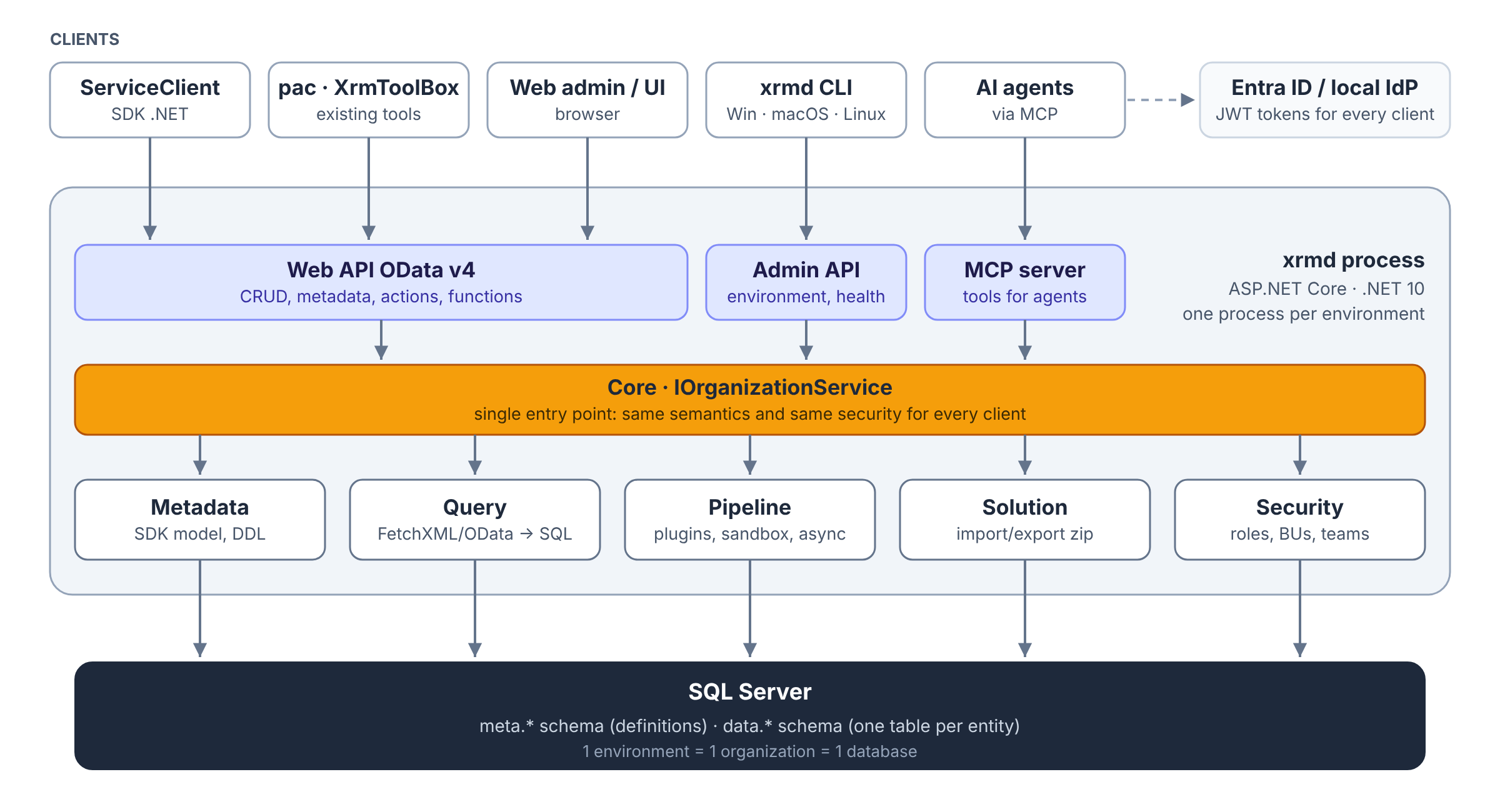
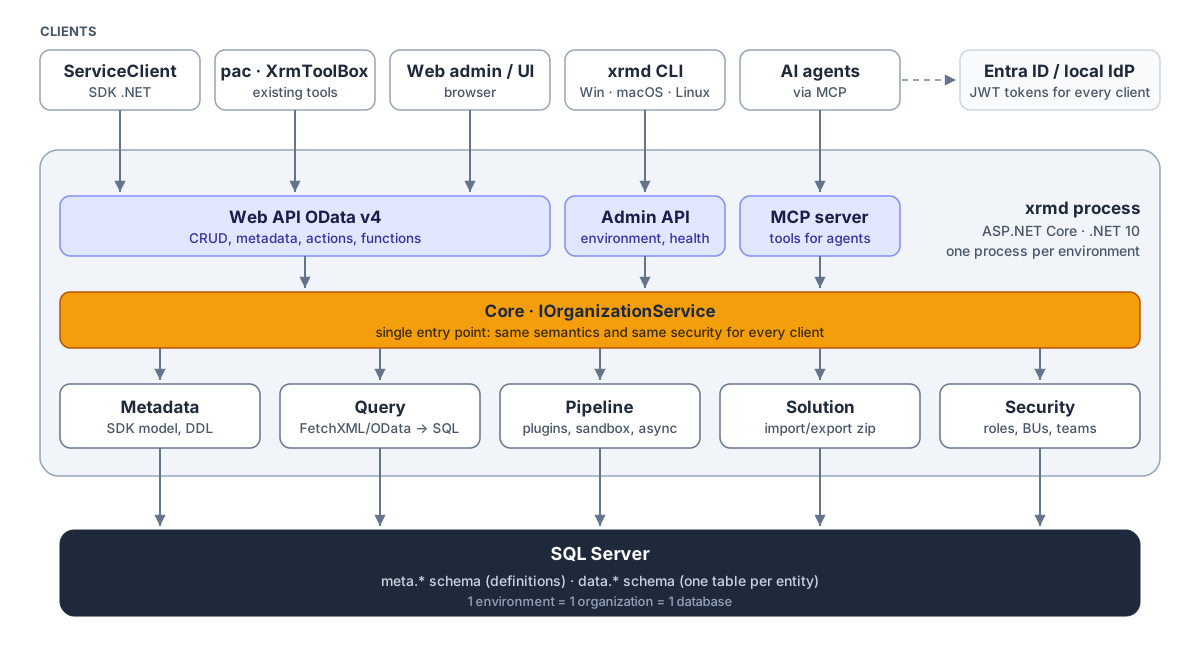
Vector version: images/xrmverse-architecture.svg
It is a modular monolith: a single process, with modules that have clear boundaries and talk to each other only through interfaces. It is simple to install and debug, and modules can be split out later if needed.
Modules
| Module | Responsibility |
|---|---|
| Web API | OData v4 adapter to the Core: CRUD, $metadata, EntityDefinitions, actions and functions, annotations (lookups, FormattedValue, etag). No business logic. |
| Core | Internal IOrganizationService: the single entry point for every operation. |
| Metadata | A model identical to the SDK classes (EntityMetadata, AttributeMetadata…), a cache with version stamps, SQL DDL generation. |
| Query | FetchXML, OData and QueryExpression translated into a single AST, then compiled to T-SQL with paging, aggregates and security predicates. |
| Pipeline | Runs plugins in Dataverse's stages, in an isolated sandbox, with an async queue. |
| Solution | Import/export of the native solution.zip format, component apply order, importjob log. |
| Files | File and image columns: the blob store (file system or S3-compatible) behind IFileStore, upload and download sessions, thumbnails, the cleanup sweep. |
| Security | Roles, privileges with depth, business units, teams, sharing. |
| Admin API, CLI, MCP | Environment management, diagnostics, access for AI agents. |
The path of a request
sequenceDiagram
    participant C as Client
    participant W as Web API
    participant S as Security
    participant P as Pipeline
    participant D as SQL Server
    C->>W: POST /api/data/v9.2/accounts (JWT)
    W->>S: user from token, check Create privilege
    S-->>W: allowed
    W->>P: CreateRequest
    P->>P: PreValidation (outside the transaction)
    P->>D: BEGIN TRANSACTION
    P->>P: PreOperation (plugins)
    P->>D: INSERT data.account
    P->>P: Synchronous PostOperation (plugins)
    P->>D: COMMIT
    P-->>D: async plugins queued (asyncoperation)
    W-->>C: 204 + OData-EntityId
Stages 20, 30 and 40 share the same transaction: if a plugin throws, everything rolls back, just as in Dataverse.
Plugins
- A plugin receives the same context as in Dataverse:
InputParameters, pre/post images,Depth,SharedVariables,IOrganizationServiceFactory,ITracingService. - Each assembly runs in an isolated
AssemblyLoadContext;Microsoft.Xrm.Sdkis shared with the host so that types match. .NET plug-ins therefore need the Microsoft SDK, which you install yourself (see Installing the Microsoft SDK). - Registration uses the standard tables (
pluginassembly,plugintype,sdkmessageprocessingstep…): the Plugin Registration Tool and solution import work with no special API.
Data and metadata
flowchart LR
    API[EntityDefinitions / RetrieveMetadataChanges] --> CACHE[Metadata cache]
    CACHE --> META[(meta.* schema: definitions)]
    CACHE --> DDL[DDL generator]
    DDL --> DATA[(data.* schema: one table per entity)]
Every Dataverse table becomes a real SQL table in data.*, with faithfully mapped types: polymorphic lookups, money with its base value, UTC dates with their behaviour, versionnumber as rowversion.
Environments and deployment
1 environment = 1 organization = 1 database = 1 xrmd process. Several environments (dev, test, prod) are several xrmd containers that can share the same SQL Server instance, each with its own database. xrmd server init --org dev --org test --org prod generates exactly this layout; see Multiple organizations.
flowchart TB
    U1[xrm-dev.customer.local] --> X1[xrmd dev]
    U2[xrm-test.customer.local] --> X2[xrmd test]
    U3[xrm.customer.local] --> X3[xrmd prod]
    X1 --> D1[(DB dev)]
    X2 --> D2[(DB test)]
    X3 --> D3[(DB prod)]
    subgraph SQL Server
        D1
        D2
        D3
    end
The reference deployment is docker compose. As a regular .NET 10 application, it can also run as a Windows service, under IIS or as a systemd service, and it can use a SQL Server the company already runs.
Identity
JWT authentication: Entra ID as the main mode, a local identity provider (phase 2) for environments with no connectivity to the cloud. Either way, the token's user maps to a systemuser, and security is Dataverse's.
The UI (phase 3)
The Power Apps UI is a closed Microsoft service and cannot be pointed at your own server. So xrmverse builds a renderer that interprets the same XML found in solutions:
flowchart LR
    X[FormXml · views · sitemap · JS · PCF] --> M[Semantic model]
    O[xrmverse overlay] -.-> M
    M --> R1[Classic renderer: like Power Apps]
    M --> R2[Custom renderer: themes, kanban, mobile, white-label]
- UI-1, porting: existing Model-driven apps run with their forms, views, JavaScript (supported Client API) and PCF controls.
- UI-2, custom rendering: a completely different look, chosen per environment, app or user, without touching the original customizations. The renderer travels in solutions like any other component.